🧠 Main Objective:
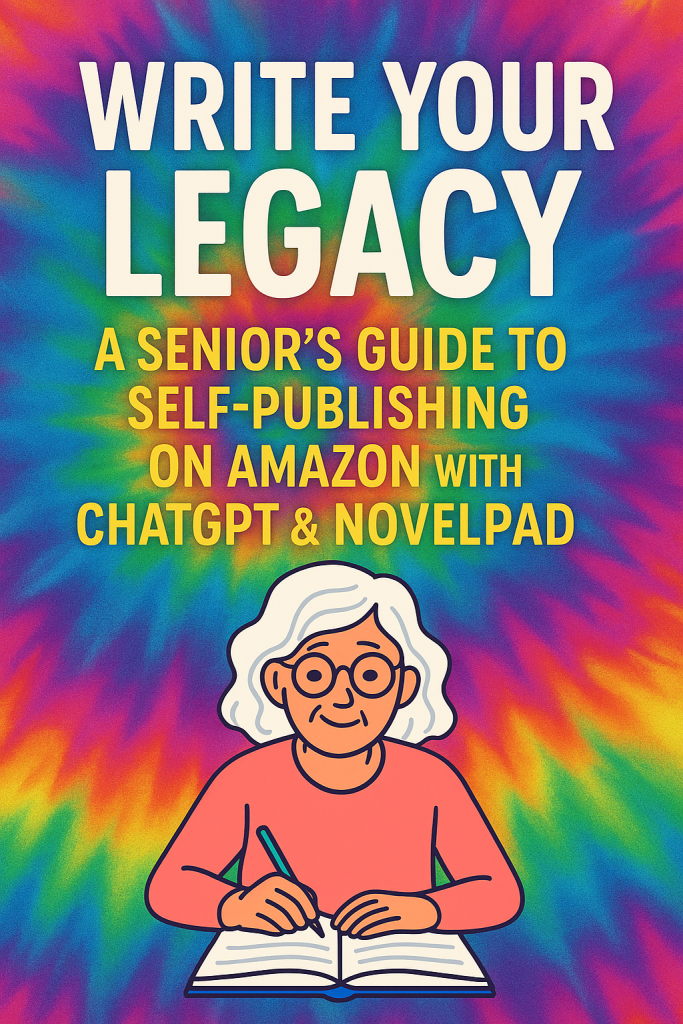
To empower elderly individuals (50+) to write, organize, and publish their life stories, family history, poetry, fiction, or wisdom through user-friendly digital tools—even if they aren’t tech-savvy.
✍️ Chapter-by-Chapter Outline
Introduction: Why Your Story Matters
- Encouraging words for seniors
- The value of legacy writing
- Real examples of elderly first-time authors
- You don’t need to be a “writer”—you just need your voice
Chapter 1: Getting Comfortable with Technology
- Basic internet and device setup (smartphone, tablet, laptop)
- How to use a browser, open tabs, and install programs
- Setting up an email (needed for KDP, NovelPad, ChatGPT)
Chapter 2: What is Self-Publishing?
- The difference between traditional vs. self-publishing
- Overview of Amazon Kindle Direct Publishing (KDP)
- Why KDP is perfect for seniors: cost-free, easy access, global reach
Chapter 3: Brainstorming Your Book Idea
- Memoirs, devotionals, cookbooks, poems, short stories, letters to grandchildren
- Prompts and questions to get the ideas flowing
- Vision board or scrapbook method (digital or paper)
Chapter 4: Organizing Your Book with NovelPad.co
- Step-by-step guide to signing up for NovelPad
- How to create chapters, scenes, and notes
- Using the “Plot Grid” and “Character Tools” (if applicable)
- Tips for seniors with memory challenges or scattered notes
Chapter 5: Writing with the Help of ChatGPT
- What is ChatGPT and how to access it
- How to give prompts (examples for every genre)
- ChatGPT as a co-writer, editor, and cheerleader
- Sample prompts: “Help me outline a cookbook,” “Make this story more exciting”
Chapter 6: Editing & Revising Your Book
- Self-editing basics (spelling, grammar, clarity)
- How to ask ChatGPT to improve your writing
- Asking family or friends for help
- When to consider hiring a professional editor
Chapter 7: Formatting Your Book for Amazon KDP
- Formatting basics: title page, headers, spacing
- Easy tools: KDP templates, NovelPad exports, Word or Google Docs
- Converting your file to PDF or DOCX for upload
Chapter 8: Creating a Cover You’ll Be Proud Of
- Free tools: Canva, BookBrush, and KDP Cover Creator
- How to use images, text, and colors
- Making your book stand out without being flashy
- Optional: Using ChatGPT to generate ideas or titles
Chapter 9: Setting Up Your KDP Account
- Step-by-step instructions with screenshots
- Adding your tax and bank info safely
- Setting your book price, description, and keywords
- Choosing print vs. ebook
Chapter 10: Hitting ‘Publish’ and What Comes Next
- Final checklist before going live
- What happens after publishing
- Sharing your book with friends, family, and social media
- How to get reviews
Chapter 11: Bonus – Recording an Audiobook (Optional)
- Tools like Audacity and smartphone voice recorders
- How to record your voice
- Uploading to Amazon ACX (for audiobook publishing)
Chapter 12: Celebrating Your Legacy
- Creating gift copies for your grandchildren or community
- Hosting a book signing at your church, library, or senior center
- Encouraging others to write their stories too
- Leaving behind more than memories
📎 Appendices
- Sample prompts for ChatGPT
- KDP glossary of terms (ISBN, royalties, etc.)
- Resource guide: links to tutorials, videos, and tools
- Simple “Book Creation Checklist” for printing out
✅ Target Audience
- Adults ages 50–90+ with basic computer access
- Retirees, grandparents, church members, and those in assisted living
- Tech novices who want to preserve their legacy